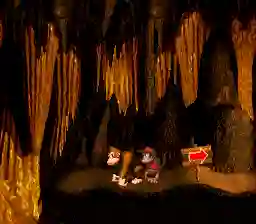


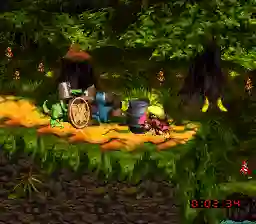








Overview
About Donkey Kong Country 3 - Dixie Kong's Double Trouble! (Europe) (En,Fr,De)
What the record confirms
Retro Games lists Donkey Kong Country 3 - Dixie Kong's Double Trouble! (Europe) (En,Fr,De) as an SNES catalog entry. The page is intended to present this specific version for browser play while retaining the supplied metadata.
The stored record includes the year 1996, a Europe marker, and language markers for English, French, and German. These are catalog facts about the selected entry, not a broader statement about every release of the game.
Platform and version identity
| Field | Stored value |
|---|---|
| Platform | SNES |
| Region | Europe Release |
| Release date | 1996 |
| Language marker | En,Fr,De |
| Revision marker | Not provided |
The Europe and language markers help distinguish this item from USA entries or other regional records. The supplied data does not identify a revision number, so no revision comparison should be assumed.
Genre signals in the metadata
The tags record Platformer, Action, Adventure, Side Scroller, Jumping, and Exploration. A Fantasy tag is also present. Together, these support a concise genre description as a fantasy-leaning platforming action-adventure side-scroller.
The tags do not establish a plot, setting details, cast, level count, difficulty, or review position. The Donkey Kong tag is a catalog classification and does not supply additional story evidence.
How to play online
The page is designed to make this SNES entry available in a browser. Practical guidance is to open the record, allow the player area to load, and use the start or play control shown by the site. This guidance explains a normal browser workflow and does not claim personal playtesting.
Use any fullscreen, sound, reset, or save controls only when they are visibly offered by the player. The catalog facts do not specify emulator technology, save persistence, input defaults, frame rate, or browser compatibility.
Controls and device troubleshooting
On a desktop or laptop, click the player before using the keyboard so the game surface has focus. If input appears delayed or absent, click back into the player, check for an on-screen control map, and confirm that another browser element has not captured the keystrokes.
On touch devices, follow the controls presented by the player and keep the tab active during loading. A practical troubleshooting sequence is to refresh once, close heavy background tabs, test a current browser, and check whether the device is muted. These steps are general browser guidance rather than documented emulator requirements.
What is unknown
The record does not include developer or publisher information, file size, checksum, review score, completion estimate, accessibility notes, or confirmed browser and device support. It also does not explain whether En,Fr,De applies to all text, menus, audio, or only selected in-game elements.
There is no supplied evidence for plot events, mechanics beyond the genre tags, individual stages, enemies, music, graphics, or personal performance impressions. Those details remain outside the record.
Editorial method and limitations
This editorial entry uses only the source title, category, platform, tags, release year, title markers, and source description. The genre wording follows the recorded tags, while the browser instructions are clearly labeled as practical guidance.
Regional and language markers are preserved because they are useful for choosing between catalog entries. Missing fields are stated as missing instead of being filled with assumptions from the wider series or from external knowledge.
Practical next step
Before starting, verify that the page identifies the Europe version and shows the En,Fr,De marker. Open the player, click its surface, and follow the controls displayed there. If loading fails, note the device and browser, then try the focus, refresh, and background-tab checks.