








Overview
About Neo Bomberman
What the record confirms
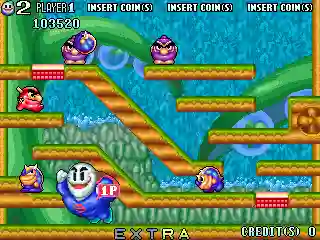
The catalog record is titled Neo Bomberman. It is filed under the Classic Arcade category, and Classic Arcade is the recorded platform label. No release date is supplied, and the title has no title markers in the evidence.
The source description says the page is intended to make this specific entry available for browser play while keeping the supplied metadata visible. That establishes the catalog purpose without confirming an emulator result, control scheme, save feature, or multiplayer session.
Platform and version identification
| Field | Recorded value |
|---|---|
| Title | Neo Bomberman |
| Category | Classic Arcade |
| Platform | Classic Arcade |
| Release field | Not provided |
| Title markers | None supplied |
The record uses a broad Classic Arcade classification rather than naming a more specific console or arcade board. No regional label, version code, language note, or historical release information is included.
Genre and recorded tags
The tags include Bomberman, Puzzle, Multiplayer, Anime, Classic Arcade, Classic, Retro, Browser Play, Arcade, and Quick Play. These labels support describing the entry as a Bomberman puzzle and arcade listing with multiplayer and quick-play associations.
The tags do not provide a rules explanation, stage order, item list, character roster, plot, scoring model, or mode breakdown. The title supports the Bomberman classification, while the rest remains catalog metadata rather than a verified gameplay review.
How to play online
Guidance: Open the Neo Bomberman entry in a modern browser and use the visible launch control if the player is available. Wait for loading to complete before pressing multiple inputs. Because Browser Play and Multiplayer are tags, look for explicit player or mode controls instead of assuming every version exposes them.
This describes a practical way to approach a web player and is not a claim of personal playtesting.
Controls and device troubleshooting
Guidance: On desktop, click the player before using the keyboard. If the page supports a controller, connect it before starting and follow the visible mapping. On mobile, use the layout provided by the player and avoid assuming that every arcade input is available through touch.
- Reload once after a stalled loading state.
- Check browser mute and page volume before evaluating sound.
- Close heavy background tabs if animation feels uneven.
- Test multiplayer only after the interface shows another player or mode.
The supplied record does not specify keys, controller support, browser support, audio behavior, screen scaling, or network play.
What is unknown
No release year, developer, publisher, review score, file size, screenshots, story details, arcade board information, or regional version is provided. The absence of a title marker means there is no supplied regional or revision label to report.
Saving, loading, local multiplayer, online multiplayer, rewind, cheats, accessibility options, and touch controls are all undocumented. They should remain unknown unless the page itself presents clear evidence.
Editorial method and limitations
This article uses the supplied title, category, platform label, tags, empty release field, empty marker list, and source descriptions. Bomberman, puzzle, arcade, multiplayer, and quick-play language follows those fields. Browser instructions are general guidance, not verified emulator behavior.
No personal session, external research, credit lookup, rating check, or performance test was performed. The editorial approach therefore keeps the entry useful for discovery while avoiding invented mechanics, history, authorship, and compatibility claims.
Practical next step
Open the Neo Bomberman page and verify that the displayed title and Classic Arcade classification match this record. Start the player if available, note the controls that are actually shown, and check for an explicit multiplayer option before relying on the multiplayer tag.