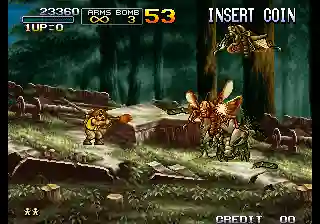










Overview
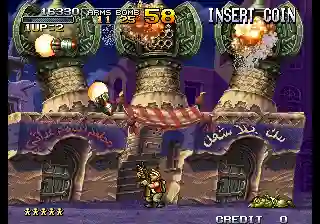
About Metal Slug 2 - Super Vehicle-001/II (NGM-2410) (NGH-2410)
What this record confirms
The stored catalog record is titled Metal Slug 2 - Super Vehicle-001/II (NGM-2410) (NGH-2410). It is filed in the Classic Arcade category, and its platform field is also Classic Arcade. The available release field is 1998. These are the primary facts supplied for this specific entry.
| Field | Recorded value |
|---|---|
| Source title | Metal Slug 2 - Super Vehicle-001/II (NGM-2410) (NGH-2410) |
| Category | Classic Arcade |
| Platform field | Classic Arcade |
| Release field | 1998 |
| Title markers | NGM-2410 and NGH-2410 |
Platform and version identification
The title carries the markers NGM-2410 and NGH-2410. The record does not define those labels beyond displaying them in the title, so they should be treated as catalog identifiers for this entry rather than expanded into an unverified regional, hardware, or revision explanation.
The platform field says Classic Arcade, while the tags include Neo Geo. That combination gives useful catalog context, but the supplied data does not identify a particular cartridge, cabinet revision, region, language setting, or emulation core.
Genre signals in the catalog
The recorded tags include Metal Slug, Run and Gun, Co-op, Multiplayer, Neo Geo, Fantasy, Classic Arcade, Shooter, Action, and Arcade. These labels support describing the entry as a run-and-gun action shooter with arcade and multiplayer-oriented catalog signals.
The Fantasy label is also explicitly recorded. Tags are metadata, so they describe how the catalog classifies the entry; they do not provide a plot summary, character list, level list, or confirmation that every tagged feature is available in every play mode.
How to play online
The source description says this page is intended to make this specific entry available for browser play while keeping the supplied metadata visible. Guidance: open the game page in a current browser, allow the player area to finish loading, and click or tap inside it before trying keyboard input.
Guidance: if a start prompt appears, follow the on-screen prompt and use the player interface to begin. The record does not state whether saves, score persistence, online matchmaking, or two-player input are implemented, so those behaviors should be checked on the page rather than assumed from the tags.
Controls and device guidance
Guidance: on desktop, click the player to give it focus, then try the displayed keyboard controls or any control-mapping panel provided by the player. If input seems inactive, click outside and back inside once, then check whether another browser tab or application has captured the keyboard.
Guidance: on a phone or tablet, rotate the device if the player offers a landscape layout, use any visible touch controls, and keep the browser tab active. For a gamepad, connect it before loading when possible and look for a mapping or controller status panel. These are practical browser steps, not recorded facts about this release.
What is not provided
The supplied record does not provide a developer, publisher, regional release notes, plot details, character information, cabinet specifications, ROM filename, file size, rating, review score, screenshots, controls, or emulator verification. It also does not state whether the co-op and multiplayer tags refer to local, networked, or catalog-only classification.
No claim about completion, performance, sound, display scaling, save support, or compatibility can be made from this metadata alone. The absence of a field should be read as unknown rather than as evidence that the feature does not exist.
Editorial method and limitations
This editorial entry separates stored facts from general browser guidance. Stored facts come from the supplied source title, category, platform, tags, release field, title markers, and source descriptions. Guidance explains common ways to approach an in-browser player without claiming personal playtesting or emulator inspection.
The title is preserved in the catalog sense, while the SEO title is shortened for search readability. No developer, publisher, plot, rating, or technical behavior has been added because those details are not present in the record.
Practical next step
Start with the specific page for this slug and compare the visible title with the NGM-2410 and NGH-2410 markers. Then confirm that the page identifies the entry as Classic Arcade and try the player using the available input instructions.
For a useful catalog check, note whether the page exposes keyboard mapping, touch controls, gamepad support, or a multiplayer option. Record those observations separately from the supplied metadata so later editorial updates can distinguish verified page behavior from the original catalog facts.