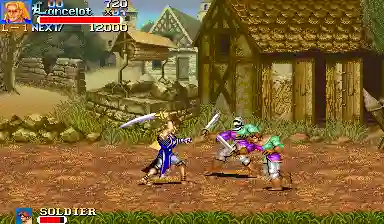









Overview
About Ghosts'n Goblins (US)
What the record confirms
The catalog identifies this entry as Ghosts'n Goblins (US). It belongs to the Classic Arcade category, and Classic Arcade is also the recorded platform. The page is designed to expose this particular entry for browser play while keeping its supplied metadata available to visitors.
The release field is 1985, and the title marker is US. Those values are catalog facts. They do not by themselves establish a complete publication history, cabinet revision, or every regional release associated with the name.
Platform and version identification
| Field | Stored value |
|---|---|
| Title | Ghosts'n Goblins (US) |
| Category | Classic Arcade |
| Platform | Classic Arcade |
| Release field | 1985 |
| Title marker | US |
The evidence supports an arcade entry carrying a US marker. No board number, publisher, developer, alternate regional label, ROM information, or emulation configuration is supplied.
Genre signals from the tags
The tags include Platformer, Arcade, Classic Arcade, USA Release, Coin-Op, Action, Adventure, Side Scroller, Jumping, and Exploration. Together, they support describing the game as an action platformer with side-scrolling, jumping, adventure, and exploration classifications in an arcade context.
These are catalog labels rather than a stage-by-stage guide. The record does not specify enemies, weapons, characters, objectives, scoring, endings, difficulty settings, or the exact relationship between the tags and the original cabinet rules.
How to play online
Guidance: Open the entry in a current browser and wait for the player surface to appear. Click inside that surface before using the keyboard. Start with the default controls displayed by the player and confirm that directional and action inputs register before changing settings.
This is general browser-play guidance. It does not represent personal playtesting and does not guarantee a particular emulator, input mapping, loading sequence, or save feature.
Controls and device troubleshooting
Guidance: If an input does not work, click the game area again and inspect any visible control menu. A physical keyboard is a useful first diagnostic. A connected controller may help when supported, but browser permission prompts and player mappings can vary.
- Refresh once if the player area stays empty after loading.
- Close other software that may capture the keyboard or controller.
- Try another current browser when focus or audio remains unreliable.
- Use a larger display if touch controls make precise movement difficult.
These suggestions address common browser conditions. The supplied record does not confirm touch support, controller support, audio behavior, display scaling, or a preferred device.
What remains unknown
The catalog does not provide developer or publisher credits, cabinet specifications, ROM or file details, review scores, ratings, plot information, character names, stage count, enemy list, or verified compatibility by browser and device.
The US marker is not expanded beyond the wording supplied. The tags support platformer and arcade classifications, but they do not justify invented story details or technical claims.
Editorial method and limits
This editorial entry uses only the stored title, category, platform, tags, release field, title marker, and source descriptions. It distinguishes those facts from practical browser guidance that may help a visitor begin.
Unprovided fields are explicitly left open. The writer does not claim to have played the game, checked an emulator build, verified a controller, or confirmed the behavior of a particular browser.
Practical next step
Before troubleshooting, confirm that the page identifies Ghosts'n Goblins (US) and Classic Arcade. Focus the player, test movement and jumping, then record the browser, device, and input method if a control fails. That small report is more useful than inferring a missing cabinet or version detail.