















Overview
About Tekken 3
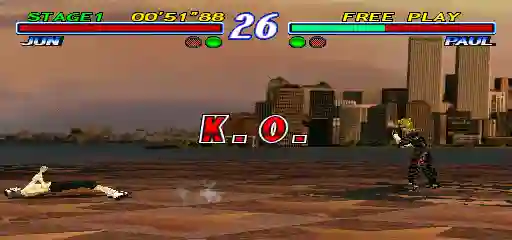
Tekken 3 is a 1998 PlayStation fighting game. Each fighter has a left punch, a right punch, a left kick, and a right kick. Directions change what those buttons do, so a small set of inputs can cover everything from a quick jab to a longer sequence. The early goal is not to memorize the move list. Learn what your fighter can do when standing still, when close enough to touch, and when the opponent has just missed.
Fights take place in 3D, but most of the time you are still reading the space directly between the two fighters. A short retreat can take you out of punching range. A sidestep can move you off the line of a straight attack. Neither works on every move. If your opponent keeps catching you as you step, block first and use the next exchange to see which attack is doing it.
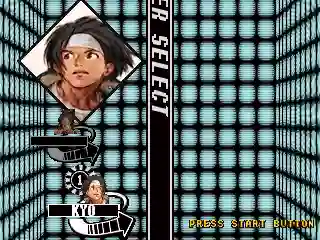
You can feel the difference between fighters without learning a full combo. Try Jin Kazama if you want a starting point for punches and straightforward spacing. Try King if throws are what made you curious about Tekken. Pick Ling Xiaoyu if you want to explore how changing stance can alter the next exchange. Spend a few rounds on one character before switching so you can tell which changes came from the fighter and which came from your timing.
The game is worth revisiting because a round can turn on a simple decision. Retreat half a step, watch a kick fall short, and answer with one clean hit. That sequence teaches more about Tekken 3 than a long combo that only lands when the other fighter is already standing still. Once you can make space on purpose, the more elaborate moves have a place in your game plan.
Practice and Arcade are useful for different things. Practice lets you take the time to see how far a kick reaches or how a stance changes your options. Arcade puts the same inputs under pressure: you have to spot an opening before you can use the move you rehearsed. If an input works in Practice but fails in matches, shrink the task. Try it only after an obvious miss or after the opponent backs up, rather than forcing it as soon as the round begins.
How to Play Tekken 3 in Your Browser
On a phone or tablet, use the on-screen controls if your browser shows them, and rotate to landscape if the buttons overlap too much of the fight. Try tapping a direction and then each attack on its own before attempting both together. If you find it hard to tap diagonals or two buttons at once, stick to individual attacks or try a compatible controller. A desktop keyboard is useful for checking the default layout if your phone does not show touch controls.
Tekken 3 Controls
| Keyboard | Controller input | Action |
|---|---|---|
| Arrow keys | D-pad | Move, crouch, jump, or sidestep with a quick vertical tap |
| S | Square | Left punch (1) |
| A | Triangle | Right punch (2) |
| X | Cross | Left kick (3) |
| Z | Circle | Right kick (4) |
| Enter | Start | Start or pause the game |
| V | Select | Send the PlayStation Select input |
The table shows the default player-one keyboard layout. In Tekken move notation, 1, 2, 3, and 4 are names for the four limbs, not the keys you press on your keyboard. For example, when a move list calls for two punches in sequence, 1, 2 means S followed by A on this layout. If you remapped any inputs in Control Settings, use your own bindings instead.
Back and forward are relative to the opponent. When you face right, hold Left to guard against standing attacks; when you face left, hold Right. Hold down-back to guard against lows, but remember that crouching leaves you open to mids. To test whether a movement problem comes from the keyboard or the fight, first try the same direction in a menu or spend a moment moving without attacking in Practice.
If two inputs work separately but not together, test them together in Practice before changing your timing. Some keyboards do not register every combination of keys held at once. You can remap the attack keys to a set your keyboard handles or switch to a gamepad. Start by checking a simple diagonal or two-button input, not by repeating an entire combo.
Tekken 3 Tips
- Give your first fighter three jobs. Find one fast attack for close range, one mid you can use when an opponent crouches, and one move that reaches slightly farther than your jab. Try each at point-blank range and again after one small step back. When an attack misses at the longer distance, move in a little and try it again. You are learning ranges, not trying to win a practice round.
- Make the opponent miss before you answer. Rather than swinging as soon as the round starts, take a small step out and watch the first move. If it falls short and you are still close enough to reach, answer while the other fighter is recovering. If the opponent is too far away, take the space instead of throwing out another move. Start with one hit you can land reliably before adding a follow-up.
- Practice a sidestep without an attack attached. Tap up or down briefly and check that your fighter moves sideways instead of jumping or crouching. Repeat the input on both sides of the screen. Next, try it against one straight attack and see if the move misses. If you keep getting hit during the step, go back to blocking and compare when you moved with when the attack started.
- Treat blocked hits differently from clean hits. A hit that connects and a hit that is blocked can look similar when several attacks come out at once. Practice a short sequence slowly enough to see the difference. In a match, if the opening hit is blocked and your follow-up keeps getting interrupted, stop at the first hit for a few attempts. Guard, reset your distance, and save the longer sequence for an opening you recognize.
Games Like Tekken 3
- Tekken 2: Start here if you want another Tekken round with the familiar four-limb layout, then compare how the earlier game handles movement and range.
- Bloody Roar 2: Bringer of New Age: Try another PlayStation 3D fighter where spacing still matters, but transforming into a beast gives you a different decision to make mid-match.
- Street Fighter Alpha 3: The same habit of punishing a whiff pays off in this 2D fighter, but jumps and position along a flat stage replace Tekken’s sidestepping.
- Mortal Kombat Trilogy: Play this if you want another one-on-one fighter built around distinct move lists and learning when to block before taking your turn.
- Jojo's Bizarre Adventure: Try it for another PlayStation fighting game with sharply different matchups, this time shaped by how each character uses their Stand.