






















Overview
About Spyro 3: Year of the Dragon
Record overview
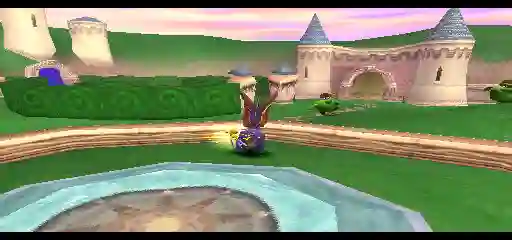
Spyro 3: Year of the Dragon appears in the Retro Games catalog as a specific PlayStation entry. The supplied release field is 2000, and the page is intended to make this record available for browser play while displaying its known metadata. This entry should be read as a catalog reference rather than a complete review or technical test.
The evidence supplied for the page is limited to the title, category, platform, tags, release field, and browser-play purpose. No independent claims about story, quality, performance, or personal play are supported by the record.
Platform and version
The category is PlayStation and the stored platform is PlayStation. PlayStation and CD-ROM are among the recorded tags, so the platform identification is consistent across the available fields. The title markers array is empty, which means no regional label or other version marker is supplied for this record.
| Field | Stored value |
|---|---|
| Title | Spyro 3: Year of the Dragon |
| Platform | PlayStation |
| Release field | 2000 |
| Category | PlayStation |
Genre signals
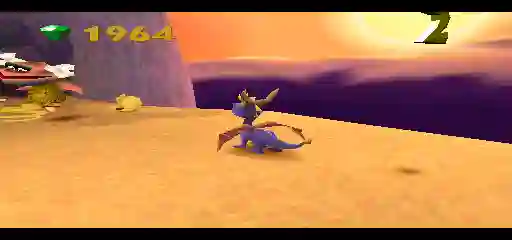
The available genre description comes from tags attached to the record. Platformer, action, adventure, fantasy, side scroller, jumping, and exploration are listed. Those labels provide useful catalog context, but they do not establish a detailed mechanics list, a story outline, or a formal genre classification beyond what the record says.
The Spyro tag identifies the catalog family or subject label associated with the entry. CD-ROM and PlayStation describe the recorded format and platform context. No information is supplied about modes, number of players, difficulty, completion time, or review reception.
What the catalog confirms
- The source title is Spyro 3: Year of the Dragon.
- The entry is filed in the PlayStation category.
- The recorded platform is PlayStation.
- The available release field is 2000.
- The tags include Spyro, Platformer, Fantasy, PlayStation, CD-ROM, Action, Adventure, Side Scroller, Jumping, and Exploration.
The page description states that the entry is intended for browser play. That is an access purpose recorded by the catalog, not a guarantee that the player will initialize successfully under every browser or device configuration.
How to play online
General browser guidance: open the catalog page in a current browser and allow the player area to load fully. When the page presents a play control, select it and click or tap inside the player before testing input. Keep the connection active during initialization. These steps are practical guidance and are not a report of verified emulator behavior for this entry.
Controls and device troubleshooting
General guidance: a keyboard or connected gamepad is a reasonable first choice on desktop. Click the player to give it focus, and check that another application or browser tab is not capturing the same keys. If the page becomes unresponsive, refresh once and retry in a current browser.
For mobile use, make sure touch controls are visible and avoid switching apps during initialization. If audio is absent, check the browser tab mute state, system volume, and site permissions. The supplied record does not name the emulator, provide a key map, confirm gamepad support, or document mobile behavior, so these steps should be treated as troubleshooting suggestions only.
What is unknown
No developer, publisher, plot description, character list, regional edition, age rating, review score, file size, emulator core, save method, display setting, or compatibility list is provided. The record also does not identify whether the release field represents a specific territory or the first release of a particular edition.
Those omissions matter because they limit what can be said responsibly. The title and tags support catalog identification, but they do not support invented credits, story claims, performance promises, or a statement that the writer has played the game.
Editorial method and limitations
This page uses a clear boundary between supplied facts and practical guidance. The title, PlayStation classification, tags, and 2000 release field come directly from the record. Browser steps are common operating advice for an online player and are labeled as such. No emulator inspection, personal playtest, or device certification is implied.
When a field is absent, this entry records that it is not provided rather than filling the gap from memory. That method keeps the catalog accurate and makes later metadata improvements easier to track.
Practical next step
Open the entry, compare the visible title and platform label with your intended version, and try the available browser play control. If it does not start, record your browser, device, input method, and any visible loading message; those details are more useful for support than a general report that the game failed.