






















Overview
About Mortal Kombat Trilogy
What the record confirms
The source title is Mortal Kombat Trilogy. Retro Games files it under the PlayStation category and states that the page is intended to make this specific entry available for browser play while keeping the supplied metadata visible. The recorded release field is 1996.
| Stored field | Recorded value |
|---|---|
| Source title | Mortal Kombat Trilogy |
| Platform and category | PlayStation |
| Release field | 1996 |
| Title markers | None provided |
Platform and version identification
This record is identified as a PlayStation entry, with PlayStation and CD-ROM included in the tags. No regional suffix or alternate version marker appears in the source title. The catalog evidence does not specify a disc revision, regional release, serial number, dump information, or whether the browser player uses a particular PlayStation emulator.
Genre signals in the metadata
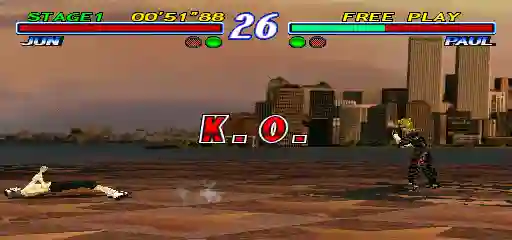
The supplied tags include Mortal Kombat, Fighting, Martial Arts, PlayStation, CD-ROM, Action, Arcade, Competitive, Versus, and Classic. They support a concise genre description centered on fighting, martial-arts, action, arcade, competitive, and versus catalog signals. The word Trilogy is part of the title, but the record does not enumerate included games, fighters, stages, modes, or compilation structure.
How to play online
Browser guidance: Open the PlayStation entry on Retro Games and select its browser-play control when the page presents it. Give the player time to initialize, then click inside the game area so it owns keyboard focus. The source description establishes the intended browser-play use of the page, while details such as loading behavior, save states, audio, and multiplayer support remain unprovided.
Controls and device troubleshooting
Browser guidance: Test with a keyboard first, especially when the player has not shown a controller map. If input appears ignored, click the game frame, dismiss browser menus, and try again. A gamepad should be connected before launch when possible; if it is missing, reconnect it and inspect the player settings. On touch devices, virtual buttons may require more screen space than a desktop layout.
- Use a current browser and close unnecessary heavy tabs if playback becomes unstable.
- Try a private window if an extension appears to interfere with focus or sound.
- Reload only after checking whether current emulator progress can be retained.
What remains unknown
The record does not provide a developer, publisher, plot, review rating, ROM or disc image details, file size, checksum, control mapping, save-state policy, supported multiplayer method, or emulator name. It does not state which games or content the Trilogy title represents. Those fields should remain unfilled unless a page-specific source supplies them.
Editorial method and limits
This editorial entry uses only the supplied title, category, platform, tags, release field, and source descriptions. The platform and genre wording reflects recorded metadata. Browser steps are practical guidance for interacting with a typical web player, not evidence that this entry was personally played or that a specific browser configuration has been verified.
Practical next step
Open the PlayStation entry, confirm that the visible title is simply Mortal Kombat Trilogy, and wait for the player to initialize. Test focus with one keyboard command, then inspect any control or settings panel for the exact mapping offered in your session. Record any version information shown by the page separately from the catalog facts above.