















Overview
About Mega Man 8
Record overview
Mega Man 8 is a Retro Games catalog entry filed under the PlayStation category. The page is intended to make this specific entry available for browser play while preserving the metadata supplied for the catalog. The source title is simply Mega Man 8, with no regional or revision marker listed in the title markers field.
The available release field is 1996. This is the year recorded by the catalog. The evidence does not provide a more detailed release chronology, a regional launch date, or a claim about the first market in which the game appeared.
Platform and version identity
| Field | Recorded value |
|---|---|
| Title | Mega Man 8 |
| Category | PlayStation |
| Platform | PlayStation |
| Release field | 1996 |
| Title markers | None provided |
Both category and platform identify PlayStation. Because no title marker is supplied, this page does not assign a region, edition, or alternate version beyond the name shown in the record.
Genre and recorded tags
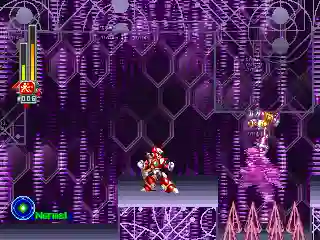
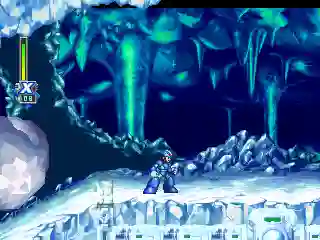
The record supplies the tags Mega Man, Run and Gun, Platformer, Sci-Fi, Mecha, PlayStation, Action, Adventure, Side Scroller, and Jumping.
- Run and Gun and Action support an action-focused description.
- Platformer, Side Scroller, and Jumping describe the tagged movement format.
- Sci-Fi and Mecha identify catalog themes rather than supplied narrative facts.
- Adventure appears in the tags and is retained without inventing a story or setting.
How to play online
Browser guidance: Open the Mega Man 8 catalog page and use the page's visible play control when the player is ready. Let the player finish loading before testing input. A current desktop browser is a reasonable first setup, although the source record does not guarantee behavior on a particular browser or device.
If the game area requests focus, click inside it before pressing keys. Starting the player, waiting for its controls to appear, and then checking one input at a time can make it easier to distinguish loading delay from an input problem. These are general instructions, not a report of personal playtesting.
Controls and device troubleshooting
Guidance: Follow any control labels rendered by the player. If keyboard input is available, test directional keys and action keys separately. If a controller is supported by the player, connect it before launching and verify that the browser has permission to read it. The catalog does not include a fixed control chart.
What is unknown
The supplied evidence does not state the developer, publisher, plot, characters, stages, review scores, age rating, ROM or disc details, emulator technology, save behavior, or exact controls. It also does not confirm a particular browser, operating system, controller, or mobile device combination.
No title marker is available, so the record does not identify a region or special edition. The 1996 release field is present, but the source does not give a month, day, market, or publication reference.
Editorial method and limitations
This copy keeps catalog facts separate from browser-use guidance. Facts come from the supplied title, PlayStation category and platform, 1996 release field, and tags. Genre terms are used only when supported by those tags. The guidance describes common steps for focusing a browser player and checking input, without claiming that this specific page or emulator has been personally verified.
Missing credits, narrative information, ratings, and technical specifications remain unfilled rather than inferred. The visible catalog page should be treated as the current place to confirm any controls, availability state, or player messages.
Practical next step
Open the Mega Man 8 entry, check that the page identifies PlayStation, and start the player through its visible control. After loading, test movement and one action input. If the page exposes a control guide or device option, use that page-specific information because the catalog record itself does not supply a definitive mapping.