







Overview
About Rhythm Tengoku (J)(WRG)
What the record confirms
The catalog source title is Rhythm Tengoku (J)(WRG). Retro Games places it in the GBA category and describes the page as intended for browser play with the supplied metadata visible. The release field is empty, so no release year or date can be reported from this record. The title carries the markers J and WRG; the catalog does not explain those markers.
| Field | Stored value |
|---|---|
| Source title | Rhythm Tengoku (J)(WRG) |
| Category | GBA |
| Platform | GBA |
| Release field | Not provided |
| Title markers | J, WRG |
Platform and version identification
The category and platform both state GBA, identifying the entry as a Game Boy Advance catalog record. The J and WRG labels are preserved exactly as supplied and should not be expanded into unsupported claims about territory, language, release status, or groups. No revision number, cartridge identifier, alternate title, or confirmed regional designation is included.
Genre signals in the metadata
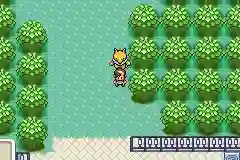
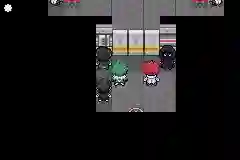
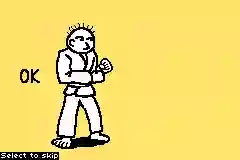
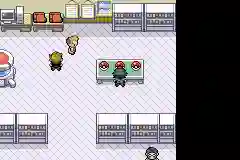
Only two descriptive tags are supplied: Minigame Collection and Music/Rhythm. Those tags support describing the record as a minigame collection with a music and rhythm focus. They do not provide a stage count, scoring system, story, control scheme, multiplayer detail, or complete genre taxonomy. The GBA platform label is metadata rather than a gameplay description.
How to play online
General browser guidance: Open the entry in a current browser and wait for the player area to appear. Start it through the visible play control, then focus the game frame before using keyboard input. If the page provides fullscreen or an input-settings panel, use those controls to improve readability and identify the available bindings. The supplied record establishes the browser-play intent but does not verify a particular emulator, load result, or device.
Controls and device troubleshooting
No controls are listed in the catalog facts. Follow the player interface for keyboard, touchscreen, or controller mapping. For timing-focused play, use a stable connection and reduce background activity on the device; these are general browser suggestions, not verified characteristics of this entry. If the display is small, landscape orientation or fullscreen may help.
- Refresh once if the frame does not appear after loading.
- Click inside the player if keys are ignored.
- Check browser and device audio settings if sound is absent.
- Reconnect a controller before reopening the player if input is lost.
What is unknown
No release date, plot, characters, developer, publisher, rating, language, control map, save behavior, player count, or browser compatibility result is supplied. The J and WRG title markers remain unexplained. The record also does not state whether every catalog feature is available in the browser player.
Editorial method and limitations
This entry distinguishes the stored GBA classification, title markers, and two supplied tags from general operating advice. It does not infer the meaning of J or WRG, add a release date, or claim personal playtesting. Any emulator behavior, input latency, audio behavior, or device support should be treated as unverified until observed independently.
Practical next step
Open the browser player and first identify its input map and screen orientation options. For catalog maintenance, retain the exact title markers and leave the release field marked as not provided unless a separate reliable source supplies additional evidence.