











Overview
About Sonic Advance 2 (U)(Independent)
What the record confirms
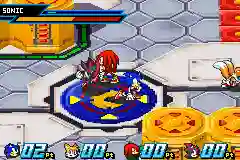
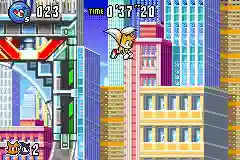
The catalog identifies Sonic Advance 2 (U)(Independent) as a Retro Games entry intended for browser play. Its supplied facts confirm the GBA category, Game Boy Advance platform, a 2002 release field, and tags for Platformer, Game Boy Advance, USA Release, Handheld, Portable, Action, Adventure, Side Scroller, Jumping, and Exploration.
Platform and version identification
| Field | Recorded value |
|---|---|
| Source title | Sonic Advance 2 (U)(Independent) |
| Category | GBA |
| Platform | GBA |
| Release field | 2002 |
| Title markers | U; Independent |
The tag set includes USA Release, and the title carries the labels U and Independent. Their exact technical meaning beyond those recorded labels is not supplied. No revision, dump, publisher, or developer information is included.
Supported genre signals
Platformer is the clearest recorded genre label. Action, Adventure, Side Scroller, Jumping, and Exploration are also supplied as tags. These tags support a broad catalog classification only; they do not confirm a storyline, character roster, stage order, difficulty curve, or specific game modes.
How to play online
General browser guidance: open the entry in a current browser and use the page's play control when available. Let the player initialize before attempting repeated input, and use fullscreen if the player offers it. The record establishes that the page is intended to make this GBA entry available for browser play, but it does not verify emulator behavior, save support, latency, or a specific control scheme.
Controls and device troubleshooting
GBA browser controls can be keyboard based, touch based, or configurable. Follow the controls shown by the player rather than assuming a fixed key layout. If buttons do nothing, click inside the play area to restore focus and confirm that no browser shortcut has captured the key. On a phone or tablet, landscape orientation can provide more room for the screen and any virtual controls. A reload may clear a stalled startup, though it can discard unsaved progress.
What is unknown
The supplied record does not provide plot details, characters, stages, endings, soundtrack information, save behavior, multiplayer features, emulator identity, performance expectations, screenshots, ratings, developer, or publisher. It also does not explain the U or Independent markers beyond their presence in the title and the separate USA Release tag.
Editorial method and limitations
This page keeps stored metadata separate from general browser guidance. The factual portion comes only from the supplied source title, category, platform, tags, release field, title markers, and descriptions. No claim is made that the game was personally played, that the emulator was tested, or that every listed control works on every device.
Practical next step
Start by checking that the entry identifies itself as GBA and carries the expected 2002 and USA Release metadata. Then launch the player, confirm its control instructions, and try a short session before adjusting browser focus, orientation, or display settings.