













Overview
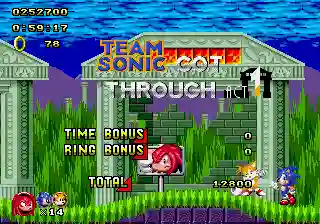
About Sonic CD (USA)
What the record confirms
The exact source title for this record is Sonic CD (USA). It is filed in the Sega CD category, the platform field also says Sega CD, and the available release field is 1993. USA is the explicit title marker supplied for this entry.
The source description explains that the page is intended to make this specific entry available for browser play while showing its metadata. This confirms the catalog role of the page, not the behavior of a particular emulator, the quality of its CD audio, or the availability of saves and rewind.
Platform and version identification
| Field | Recorded value |
|---|---|
| Source title | Sonic CD (USA) |
| Category | Sega CD |
| Platform | Sega CD |
| Release field | 1993 |
| Title marker | USA |
The Sega CD platform and CD-ROM tag identify the hardware family and media context recorded by the catalog. No disc image name, track list, region code, language specification, revision number, checksum, or file size is provided, so the USA label is the available version distinction rather than a complete technical archive record.
Genre signals in the metadata
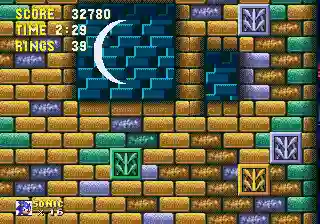
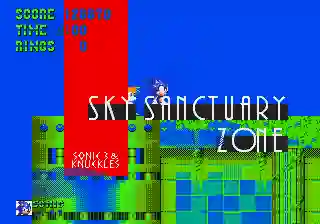
The supplied tags support a platformer classification. They also list Sonic, Sega CD, USA Release, CD-ROM, Action, Adventure, Side Scroller, Jumping, and Exploration. Those labels support a broad action-platformer description and help readers find the record among similar catalog entries.
The facts do not include a plot synopsis, character list, level count, time-system explanation, music credits, cutscene details, scoring rules, or difficulty notes. The record can be described through its documented tags, but unsupported gameplay and story specifics should not be added.
How to play online
Guidance: Open the page in a current browser and wait for the Sega CD player to initialize. If the page displays a start control, activate it once, then click the game surface to give it focus. CD-based entries may take longer to begin than a small cartridge image, but the supplied record does not document an expected loading time.
This is general browser guidance and does not claim personal playtesting. The record does not identify the emulator core, BIOS arrangement, CD audio handling, save support, or browser compatibility matrix.
Controls and device troubleshooting
Guidance: Use the keyboard or controller mapping shown by the player. If no mapping is visible, try the directional controls and the action keys assigned by the interface, then click the game area before testing again. A gamepad can work through standard browser APIs, but support for this entry is not stated.
- If initialization stalls, refresh once and avoid opening several player tabs.
- If audio is absent, check tab mute, browser permissions, and device volume.
- If controls are delayed, close demanding background applications and reconnect the controller.
- If the display is cramped, use fullscreen or landscape orientation when available.
These steps are practical guidance only. They do not verify CD streaming, video playback, controller remapping, touch controls, or exact input latency for Sonic CD (USA).
What is unknown
The supplied facts do not provide developer, publisher, plot, review score, player count, disc revision, language options, technical file details, emulator name, or measured performance. These fields are not provided and should not be inferred from the Sonic title or Sega CD platform.
USA identifies the title marker, but the data does not say whether it refers to a retail region, a catalog image, a language setting, or another editorial convention. Use the full source title when reporting the entry.
Editorial method and limitations
This copy is based on the supplied source title, existing SEO metadata, category, platform, tags, release field, title marker, and source descriptions. It keeps documented facts separate from generic browser guidance and does not represent an unperformed playthrough as evidence.
No personal testing, external research into credits, independent rating check, emulator inspection, or audio verification is included. If the catalog later records a disc identifier, verified controls, emulator version, or browser results, those additions can make the technical description more specific.
Practical next step
Open the entry and confirm the Sega CD and USA labels before starting the player. Let initialization finish, test one directional input and one action input, and check whether audio appears. When reporting a problem, include the browser, device, loading stage, and any visible error so the issue can be reproduced.