


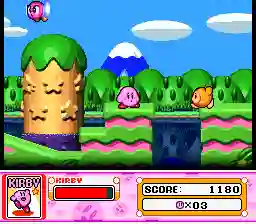
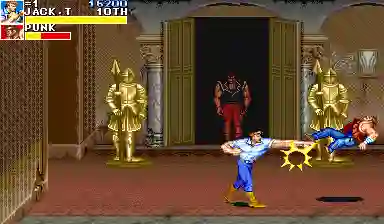
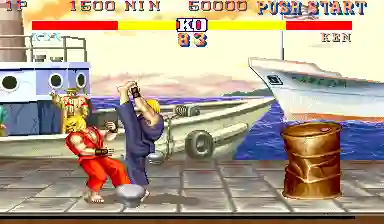













Overview
About Yume Koujou - Doki Doki Panic (Japan) (DV 1)
What This Record Confirms
The catalog title is Yume Koujou - Doki Doki Panic (Japan) (DV 1), and Retro Games files it under FDS. The platform field is FDS, while the title markers are Japan and DV 1. The source description states that the page is intended to make this specific entry available for browser play with its metadata visible.
The release date field is blank. That absence is part of the record and should not be replaced with an estimated year or a date inferred from related products.
Platform and Version Identification
| Field | Recorded value |
|---|---|
| Source title | Yume Koujou - Doki Doki Panic (Japan) (DV 1) |
| Category | FDS |
| Platform | FDS |
| Release field | Not provided |
| Title markers | Japan; DV 1 |
The tags identify Famicom Disk System, Disk System, Japan Release, and 8-Bit. They do not provide a disk side, revision code beyond the title marker DV 1, filename, checksum, language menu, or preservation identifier.
Genre Signals in the Metadata
The record includes Platformer, Action, Adventure, Side Scroller, Jumping, and Exploration. Those tags support describing the entry as an 8-bit platformer with action and adventure framing. Side scrolling, jumping, and exploration are catalog signals; they are not a verified level guide or complete mechanics list.
- Primary catalog genre: platformer.
- System signals: Famicom Disk System, Disk System, and 8-Bit.
- Activity signals: side scrolling, jumping, and exploration.
How to Play Online
Guidance: Open the FDS entry and verify both title markers, Japan and DV 1, before starting the player. Click the game display to give it focus, then wait for the player to finish its startup sequence. If the page presents disk or loading prompts, follow those visible prompts in order rather than assuming a cartridge-style launch.
The catalog confirms the intended browser-play use but does not document the emulator core, disk handling, or exact boot controls. Any player-specific instructions shown on the page are more relevant than general advice.
Controls and Device Troubleshooting
Guidance: Begin with a desktop keyboard and test inputs after clicking inside the player. If a gamepad is used, reconnect it after the player is visible and confirm that no other application has captured the device. On touch devices, use any on-screen controls supplied by the player and rotate to landscape if the layout is crowded.
What Is Unknown
The record does not supply a release year, developer, publisher, rating, plot summary, character details, disk side, file identifier, checksum, save behavior, language options, or verified control mapping. DV 1 is preserved as a title marker, but its editorial meaning is not explained by the supplied evidence. No compatibility claim can be made for every FDS revision.
Editorial Method and Limits
This copy uses only the supplied title, markers, category, platform, tags, and source descriptions. It explicitly leaves the release field blank because no date is provided. Genre language follows the recorded classifications, while browser steps are general guidance rather than the result of personal playtesting. No outside plot, credit, rating, or technical claim has been added.
Practical Next Step
Confirm the FDS label and both title markers on the page, then launch the player and observe its startup prompts. Test focus and one input after loading completes. If the entry stops at a disk prompt or fails to display, note that exact state and the browser/device details so the catalog can be checked without inventing a missing release date or disk identity.